
Product documentation
Create an analysis model
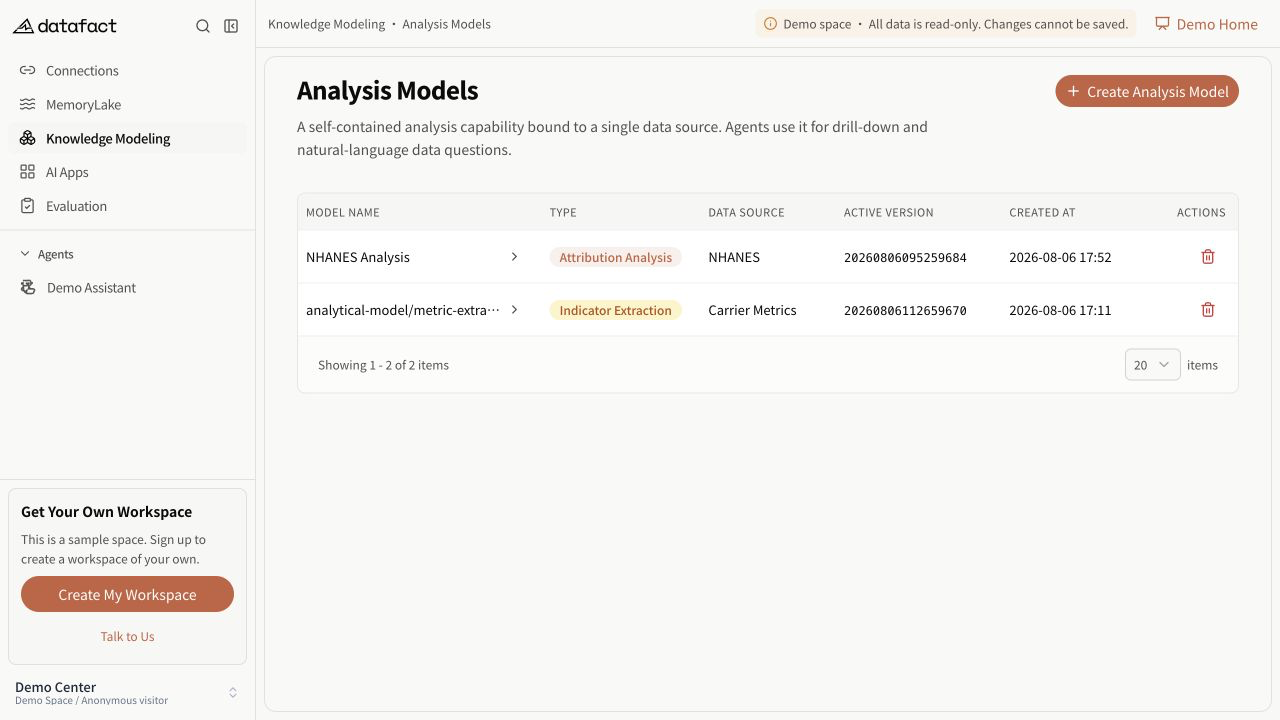
Create an Analysis Model when knowledge should be reusable across compatible Datasets and maintained in versions.
Prerequisites
You need corresponding access and at least one available database connection. The type selector must also return at least one model template.
Create the model
- Open Knowledge Modeling > Analysis Models.
- Select Create Analysis Model.
- Select an available model type.
- Enter a non-empty name when the normal creation form is available.
- Select one database connection.
- Select one or more schemas returned for that connection.
- Optionally enter a description that explains when and how the model should be used.
- Submit the form.
Changing the database connection clears the current schema selection so schemas cannot be carried across connections accidentally.
Expected result
DataFact confirms creation and opens the model detail page. The service creates an initial version, displayed as init, and sets the model's current-version pointer.
Important limitations
- Type, database connection, and schemas are immutable after creation in the current interface.
- The description can be changed later from Model Overview.
- An unavailable or premium type can replace the normal form fields with an availability message.
- Creation does not build a new non-initial knowledge version or bind the model to a Dataset.
Errors and recovery
If submission does not proceed, verify that a type, connection, and at least one schema are selected and that the name is not empty. If no schemas are returned, inspect the database connection before retrying.