
Product documentation
Create Documents (Excel)
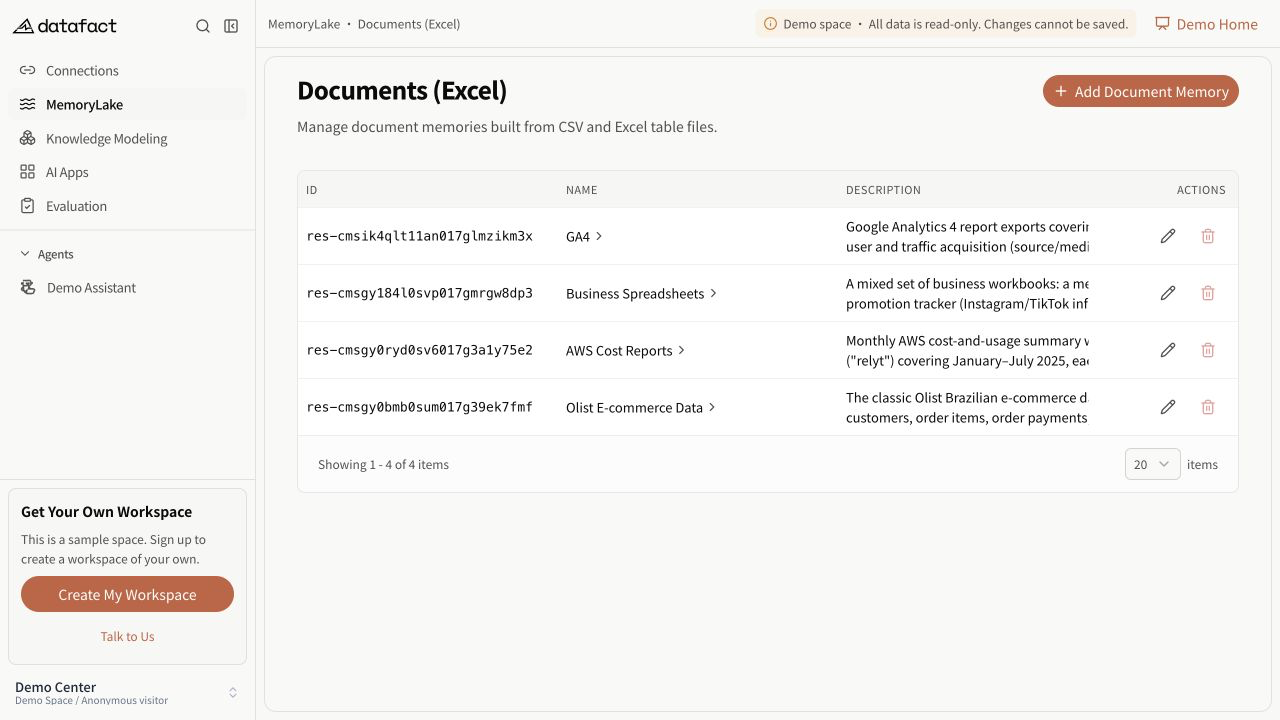
Documents (Excel) is the MemoryLake resource for structured document analysis. Creating the resource creates an empty container; it does not upload or parse a file.
Prerequisites
You need corresponding access to Documents (Excel).
Create the resource
- Open MemoryLake > Documents (Excel).
- Select Create Documents (Excel).
- Enter a non-empty name.
- Enter a non-empty description.
- Save the form.
Expected result
DataFact confirms creation and adds the resource to the paginated list. The row can show its technical ID, name, description, creator, creation time, and available actions.
Open the resource by selecting its name, then add files from the Document Library.
Important limitations
- Name and description are both required for creation and editing.
- File selection and parsing happen after creation.
- A quota or read-only state can prevent creation even when the page remains visible.