
Product documentation
Use suggested follow-up questions
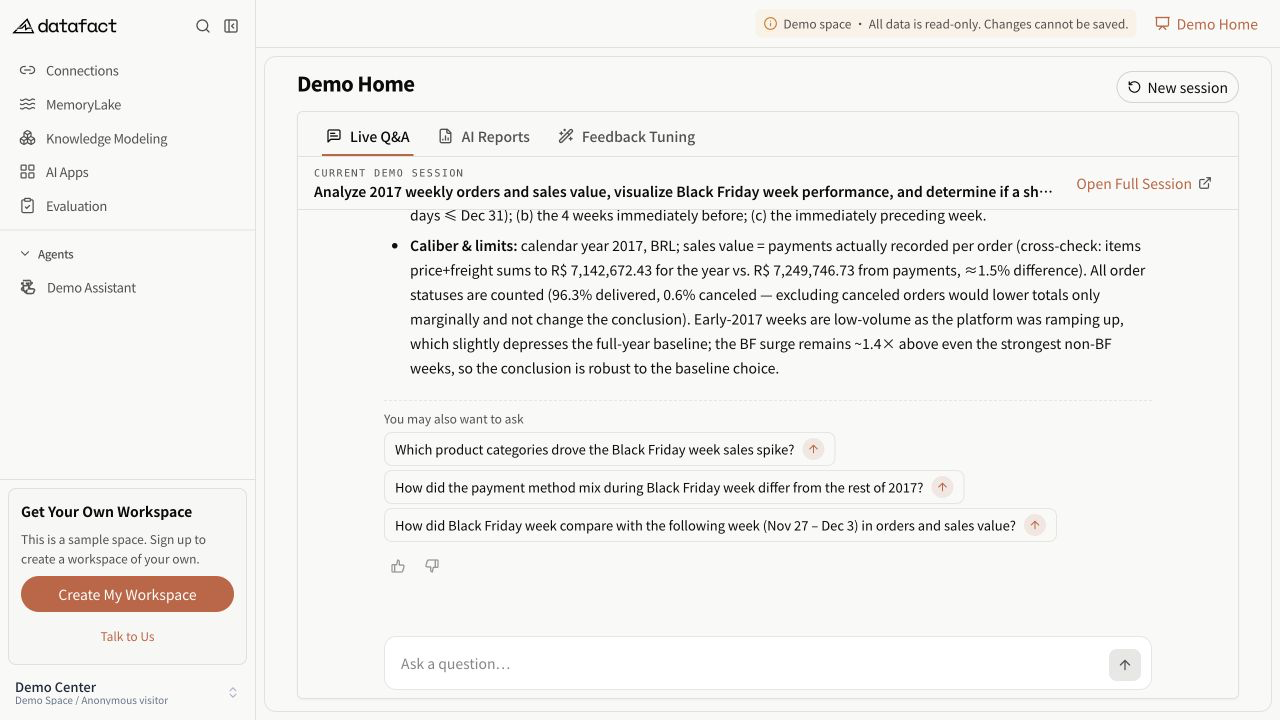
A completed answer can include You might also ask with one or more suggested questions. These suggestions are generated with that answer and do not appear for every response.
Send a suggestion
- Wait until the current answer is complete.
- Review the suggested question; do not send it if it changes the subject or assumes facts you have not verified.
- Select the Quick ask action beside the suggestion.
- Wait for the new response in the same Session.
The action uses the same send flow as a typed question. It is unavailable while the current answer is still running, while clarification is pending, or in a read-only Session.
Important distinction
These are answer-generated follow-up suggestions. They are not the same as recommended prompts configured for other published applications, and their presence is not guaranteed in the Web Session workspace.