
Product documentation
Build a knowledge version
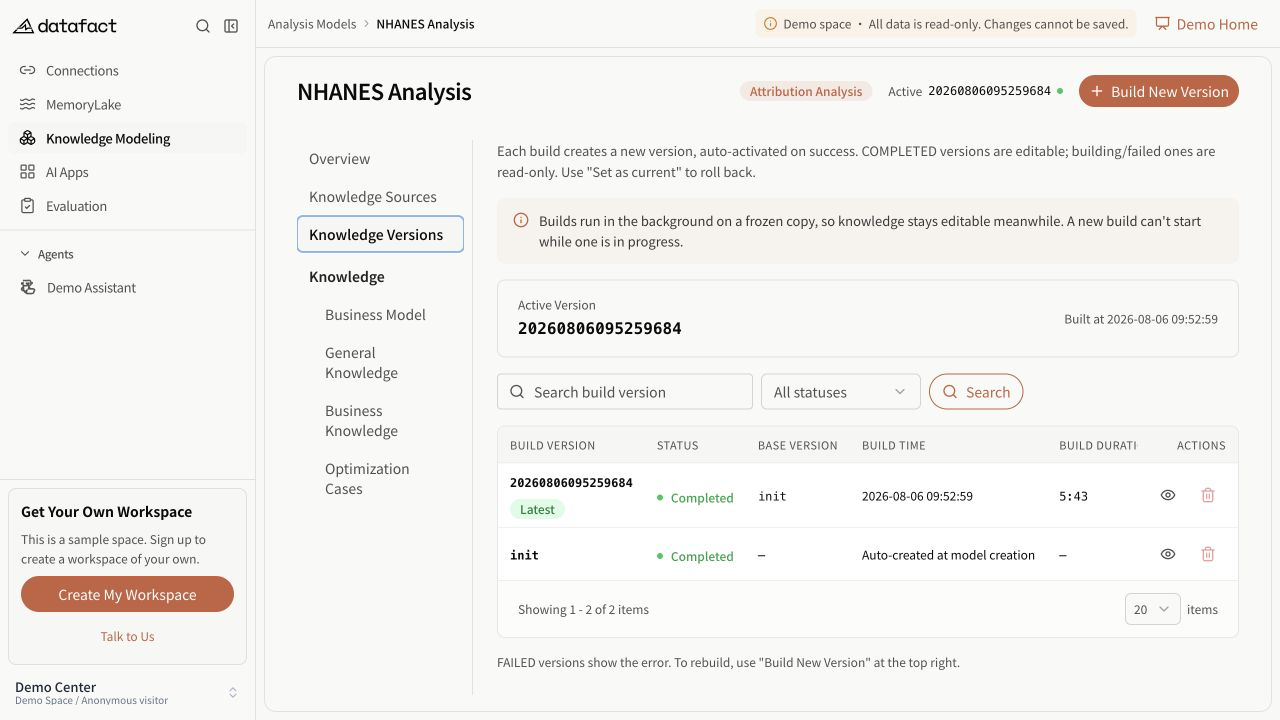
A build creates a new version from the selected baseline and the model's current sources and knowledge inputs. Starting a build does not automatically make the resulting version current.
Before building
Verify that:
- the model's primary database connection still exists;
- no associated knowledge source is marked unavailable; and
- no other version is currently created, preparing, or building.
An invalid model whose primary source was deleted cannot be repaired by changing the source in place; create a replacement model.
Start a build
- Open the Analysis Model.
- Select Build New Version.
- Review the completed baseline versions in the dialog.
- Keep the default most recent completed baseline or select another completed version, including
initwhen available. - Confirm the build.
Failed and in-progress versions are not baseline candidates. If no completed candidate is available, the selector is disabled and the request omits an explicit baseline so the service can apply its default behavior.
Expected result
DataFact confirms that the build started. The version appears with a building state and the model prevents another concurrent build. The version list refreshes periodically while a build is in progress.
Wait for Completed or Failed. A start confirmation is not a completion result.
Important limitations
- The current version does not change until an eligible completed version is explicitly activated.
- Knowledge-source snapshots and generated content belong to the resulting version.
- This documentation does not cover conflict-review or merge workflows.